The SMARTS Annual Report is due July 15 for the preceding Industrial General Permit reporting year, which runs from July 1 through June 30.
Filing is not simply a matter of opening the Storm Water Multiple Application and Report Tracking System (SMARTS) and completing a form; the facility should first review year-round Ad Hoc Monitoring Reports, verify that required monitoring information has been submitted, review the Annual Comprehensive Facility Compliance Evaluation, and assemble the compliance records needed for certification.
Several distinct administrative layers feed the final submission. Ad Hoc Monitoring Reports contain analytical monitoring information submitted during the year, while the Annual Comprehensive Facility Compliance Evaluation and other required permit records provide information used to complete the Annual Report questionnaire. A linked Data Entry Person (DEP) may prepare the report and use the SMARTS validation function, but final certification and submission require an eligible Legally Responsible Person (LRP) or properly authorized Duly Authorized Representative (DAR).
This guide covers account and facility-link verification, pre-filing data review, Annual Comprehensive Facility Compliance Evaluation documentation, current report navigation, completion checks, compliance-question responses, final signatory certification, and common administrative discrepancies. Although SMARTS Annual Report requirements operate statewide under California’s Industrial General Permit, this guide is written for industrial facility teams in Los Angeles and nearby communities such as Anaheim, the City of Orange, Santa Ana, Riverside, and San Bernardino.
SoCal Stormwater Solutions can support industrial facilities in Los Angeles and nearby California communities by helping organize monitoring records, review reporting documentation, and prepare SMARTS reporting information based on facility conditions and applicable permit requirements.

TL;DR
- The Industrial General Permit reporting year runs from July 1 through June 30, and the completed Annual Report must be submitted through SMARTS by July 15.
- Year-round monitoring information required by the Industrial General Permit is submitted through the applicable Ad Hoc Monitoring Report workflow, while the Annual Report is a separate annual compliance-reporting submission that draws on reporting-year records.
- Before final certification and submission, reconcile reporting-year records and confirm that the Annual Comprehensive Facility Compliance Evaluation completion date and supporting documentation are complete and available.
- A properly linked Data Entry Person (DEP) may prepare the Annual Report and run Perform Completion Check, while final certification and submission require an eligible Legally Responsible Person (LRP) or properly authorized Duly Authorized Representative (DAR).
- Perform Completion Check identifies system-detectable omissions, but passing the check does not establish permit compliance or constitute Water Board approval. Final electronic certification is completed by the authorized LRP or DAR.
SMARTS Annual Report Deadline and System Framework
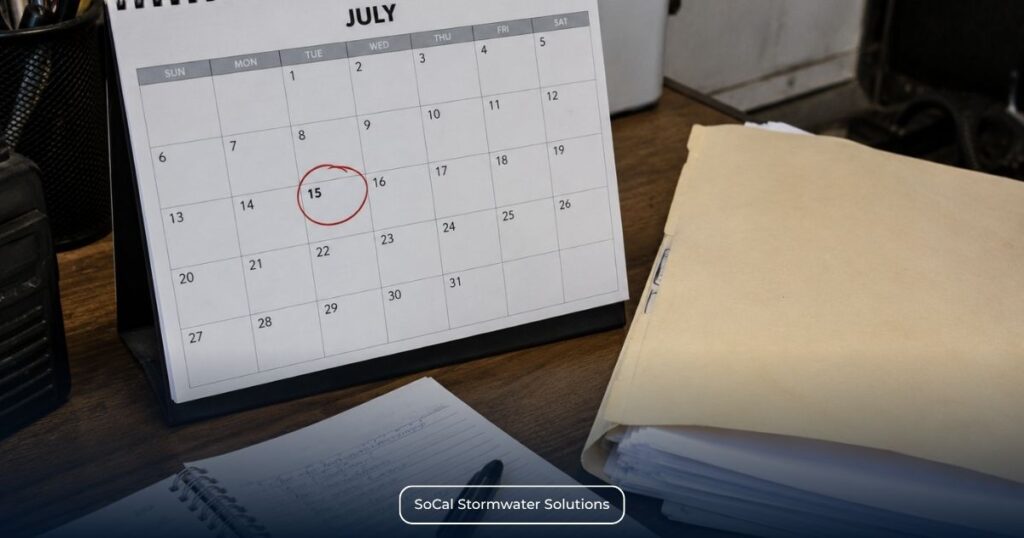
Under Section XVI of the California Industrial General Permit, dischargers must submit the Annual Report through SMARTS by July 15 following each reporting year, which covers the period from July 1 through June 30. Report information may be prepared by a properly linked Data Entry Person (DEP), while final electronic certification and submission require an eligible Legally Responsible Person (LRP) or Duly Authorized Representative (DAR). Preparing report information, reviewing administrative readiness, and certifying the report are separate responsibilities within the reporting process.
Administrative Reporting Framework
The Annual Report documents the facility’s reporting-year activities and required permit information in a single annual submission. It does not replace other permit-required monitoring, evaluations, reports, or supporting documentation maintained throughout the reporting year.
Successful preparation depends on maintaining complete records throughout the reporting year instead of assembling documentation immediately before filing. Annual Report preparation draws on Ad Hoc Monitoring Reports, Annual Comprehensive Facility Compliance Evaluation records, monitoring records, inspection records, laboratory analytical reports, and other reporting-year documentation.
It is also important to distinguish the Annual Report from Ad Hoc Monitoring Reports. Ad Hoc Monitoring Reports document applicable monitoring information submitted during the reporting year. The Annual Report is a separate SMARTS submission that draws on Ad Hoc Monitoring Reports and other reporting-year records to answer the permit’s annual compliance questions.
Annual reporting is one component of the broader industrial stormwater compliance cycle, which also includes permit coverage, SWPPP implementation, inspections, monitoring, sampling, BMP management, and Exceedance Response Actions where applicable. For broader context on how these requirements connect, review The Ultimate California Stormwater Compliance Handbook: SWPPP, Permits, and Risk Management.
Roles Within SMARTS
A properly linked Data Entry Person (DEP) may prepare and organize Annual Report information in SMARTS. Final certification and submission remain separate authorized signatory actions.
Final electronic certification and submission, however, remain the responsibility of an eligible Legally Responsible Person (LRP) or an appropriately authorized Duly Authorized Representative (DAR) under the Industrial General Permit.
Verifying SMARTS Account Links and User Status
Account problems are easier to resolve before Annual Report work is underway. Confirming that the correct users remain associated with the correct facility helps prevent unnecessary delays when the reporting period closes and annual filing activities begin.
Check the account setup against the current reporting responsibilities, including:
- association with the correct facility application or WDID record;
- an active LRP account and any DEP or DAR accounts used for the reporting cycle, as applicable;
- current facility contact information;
- outdated consultant or staff associations;
- organizational changes that may require administrative updates.
Facilities addressing broken facility links, outdated user associations, or reporting-access issues can review our industrial permitting and SMARTS reporting support for assistance with account readiness and reporting preparation. SMARTS user permissions, account roles, and facility associations remain governed by the State Water Resources Control Board’s account-management requirements.
Pre-Filing Data Compilation for the SMARTS Annual Report
Before data entry begins, reporting-year records should be organized and reviewed for completeness and consistency. Monitoring records, inspection documentation, the Annual Comprehensive Facility Compliance Evaluation, and other supporting records provide the basis for completing the Annual Report accurately.
Not every permit record is entered into or uploaded through SMARTS. Many supporting documents remain part of the facility’s compliance records and are used to support Annual Report responses.
Information to Gather Before Starting Your SMARTS Annual Report |
|
|---|---|
| Year-Round Monitoring & Reporting Records | Annual Reporting Inputs |
| Ad Hoc Monitoring Reports – Document monitoring information submitted during the reporting year under applicable permit requirements and provide supporting data for annual compliance reporting. | Annual Comprehensive Facility Compliance Evaluation completion date – Confirms that the required annual evaluation has been completed and provides information required for the Annual Report. |
| Laboratory analytical results – Document analytical results from applicable monitoring activities and support required SMARTS reporting. | Annual Report questionnaire information – Draws on reporting-year records to summarize compliance activities completed during the reporting period. |
| Monitoring records – Document monitoring activities conducted during the reporting year in accordance with applicable permit requirements and support Annual Report responses. | Inspection summaries – Consolidate inspection findings that support annual reporting responses and overall compliance documentation. |
| Stormwater sampling records – Preserve field and analytical information associated with applicable sampling activities. | BMP implementation and maintenance records – Summarize the condition, implementation, and maintenance of Best Management Practices documented throughout the reporting year. |
| Supporting monitoring documentation – Provides supporting records associated with monitoring activities conducted under the permit. | Training documentation – Demonstrates completion of relevant compliance-related training activities maintained during the reporting year. |
| Field measurements – Record applicable field observations and measurements collected during monitoring activities. | Operational or administrative change records – Document operational or administrative changes that support Annual Report responses where required. |
| Laboratory reporting documentation – Supports the monitoring record with associated laboratory reporting information maintained during the reporting year. | Supporting records used to complete the Annual Report – Support preparation and final certification of the completed Annual Report. |
Check NAL and ERA Status Before Finalizing the Annual Report
Annual Report preparation should also include a review of the facility’s monitoring results and current regulatory Level status. The Industrial General Permit reporting year closes on June 30, and SMARTS assigns applicable regulatory Level status on July 1 using submitted monitoring data and permit-defined criteria. If an Annual Average or Instantaneous Maximum NAL exceedance triggers Level 1 or Level 2 requirements for a parameter, the facility must separately follow the applicable Exceedance Response Action process. Level 1 and Level 2 ERA work requires Qualified Industrial Stormwater Practitioner (QISP) involvement under the permit. Annual Report submission does not replace those separate ERA obligations.
Structuring the Annual Comprehensive Facility Compliance Evaluation
The Annual Comprehensive Facility Compliance Evaluation is a separate annual permit requirement and should not be confused with the Annual Report, routine inspections, individual monitoring events, or Ad Hoc Monitoring Reports. It includes review of applicable sampling, visual-observation, and inspection records; facility and BMP inspections; BMP effectiveness evaluation; and identification of any needed SWPPP revisions.
Before the Annual Report is certified and submitted, confirm that the Annual Comprehensive Facility Compliance Evaluation has been completed for the reporting year and that its recorded completion date matches the supporting evaluation records. The verified completion date is then entered as part of the Annual Report.
Before Opening the Annual Report
✓ Annual Comprehensive Facility Compliance Evaluation completed
✓ Annual Comprehensive Facility Compliance Evaluation completion date verified
✓ Monitoring documentation organized
✓ Laboratory analytical reports available, where applicable
✓ Ad Hoc Monitoring Reports reviewed for completeness
✓ Facility inspection records organized
✓ Required training records available
✓ Supporting compliance documentation assembled
Dischargers must retain paper or electronic copies of all stormwater monitoring information, records, data, and reports required by the Industrial General Permit for at least five years. These records must be made available for review by State Water Board or Regional Water Board staff at the facility during scheduled operating hours.
Step-by-Step SMARTS Annual Report Database Navigation
After the reporting information has been assembled, the next task is locating the correct Annual Report workspace in the current SMARTS interface. After the reporting records have been assembled, users can navigate through the current SMARTS interface to locate the applicable Annual Report workspace and run Perform Completion Check. This stage concerns system access and completeness only; it does not determine whether the facility’s underlying compliance activities were adequate.
Step 1 — Access the File Reports Area
From the SMARTS main menu, open File Reports, then select Annual Reports to display Annual Reports that have been started but not yet submitted for facilities linked to the user account.
If the expected facility or Annual Report is not displayed, first verify the account association and user permissions rather than opening a different facility or report.
Step 2 — Locate the Correct Report
After opening Annual Reports, use the available search fields to locate the unsubmitted Annual Report for the correct facility and reporting year. Select the Report ID hyperlink to open the report.
Before entering information, confirm that the facility and reporting year are correct. Because the initial Annual Reports screen is described as displaying reports that have been started but not submitted, users should not assume that every previously submitted report will appear in the initial list.
Step 3 — Open the Report Workspace
Selecting the applicable Report ID opens the Annual Report workspace. The workspace provides access to the report’s general information, Annual Report questions, applicable attachment functions, and the Perform Completion Check function.
At this point, the user is working inside one specific Annual Report record. Any report entries or supporting documents, where applicable, should be associated with the correct facility and reporting period. This section does not address how individual compliance questions should be answered; it establishes only how the correct workspace is reached and identified.
As a practical step, save any recent report entries before running Perform Completion Check to help ensure that the validation reflects the most recent information entered into the Annual Report.
Step 4 — Run the Completion Check
Current SMARTS guidance explains that Perform Completion Check is located within the Certify tab. Any user with appropriate access to the report, including a properly linked DEP, may run Perform Completion Check. It reviews the report for system-detectable completeness problems, such as unanswered required questions, and provides notifications identifying errors that must be corrected before the workflow can proceed.
Perform Completion Check is an administrative validation tool. It does not determine whether the reported activities satisfy the Industrial General Permit, confirm that an answer is substantively accurate, or represent State Water Board acceptance. Its function is limited to identifying incomplete required information and other validation issues recognized by SMARTS.
Accessing the File Reports Menu
The initial Annual Reports screen lists reports that have been started but not submitted for facilities linked to the user’s account. Use the available search fields and the displayed facility and reporting-year information to identify the correct report rather than relying on report order alone.
Current State Water Resources Control Board guidance recommends using Google Chrome or Microsoft Edge and notes that other browsers may produce unexpected errors. It does not state that using another browser necessarily causes submission failures.
Resolving System Errors via the Completion Check
Perform Completion Check provides a structured way to identify incomplete Annual Report information before the report advances to the later certification stage. The user runs the check from the Certify tab after the required report areas have been addressed. SMARTS then displays notifications for recognized errors that require correction, such as unanswered questions.
A practical correction sequence is:
- Review each validation message generated by SMARTS.
- Identify the report area associated with the missing or incomplete information.
- Return to that part of the workspace.
- Enter or correct the required information.
- Save the revision.
- Run Perform Completion Check again.
Repeat Perform Completion Check until SMARTS no longer identifies completion errors. Passing the check confirms system completeness only; it does not verify the regulatory accuracy of the responses, determine compliance with the Industrial General Permit, or constitute State Water Board approval.
When a DEP successfully completes Perform Completion Check and selects “Send Email to LRP/DAR,” SMARTS sends the notification and updates the report status to “Not Submitted – certification required.” That wording describes the report’s verified workflow status. Separately, “Documents Ready for Certification” is the menu area through which an authorized signatory may later access items routed for certification. Neither phrase is a regulatory-compliance determination.
Answering the Mandatory Compliance Question Matrix
The Annual Report uses standardized questions to document activities and permit requirements associated with the completed reporting year. Although many questions use “Yes” or “No” responses, the question set may include additional fields for facilities with Level 2 parameters, facilities subject to applicable Effluent Limitation Guidelines (ELGs), and facilities within specified Regional Water Board jurisdictions that discharge to TMDL-listed watersheds or waterbodies. These additional questions and attachments apply only when the associated permit conditions are met.
Each response should be based on the facility’s actual records rather than assumptions about what occurred.
Annual Report Response Types and Supporting Documentation |
||
|---|---|---|
| Response Type | Operational Meaning | Supporting Documentation |
| Required Activity Completed | The facility is confirming that the activity identified in the question was performed during the reporting year. | Relevant inspection records, observation logs, monitoring documentation, evaluation records, or other facility records supporting the response. |
| Required Activity Not Completed | The response reflects that the identified activity was not completed as described in the question. This does not, by itself, describe the regulatory consequence. | Records showing the circumstances, dates, weather or operational conditions, and other facts explaining what occurred. |
| Explanation Required | Certain negative responses or incomplete activities require a written explanation in the Annual Report. | A concise, site-specific account consistent with the facility’s records and the applicable reporting-year circumstances. |
| Supporting Records Available | The facility has documentation supporting its answer, even when those records are not required to be uploaded with the Annual Report. | SWPPP records, Monthly visual observation records, sampling-event observations, training records, Annual Evaluation documentation, and other retained compliance records. |
Use Facility Records as the Source of Each Answer
Annual Report responses must accurately reflect the completed reporting year and remain consistent with the facility’s records. Review inspection records, monitoring logs, Annual Comprehensive Facility Compliance Evaluation documentation, training records, and other relevant compliance records before answering. Do not rely on unsupported assumptions or reconstructed information.
Use “Yes” only when facility records support completion of the identified activity. Use “No” when facility records show that the activity was not completed as described, even if corrective actions or administrative follow-up occurred later.
SMARTS records the information submitted by the facility. It does not independently determine whether an answer is accurate or whether the underlying activity satisfied every applicable Industrial General Permit requirement. Responsibility for providing complete, supportable information remains with the discharger.
Prepare Factual Explanations for Negative Responses
The current Annual Report guidance requires explanations for specific reporting circumstances, including certain negative responses and incomplete activities. Examples include monthly observations that were not completed, observations omitted during sampling events, sampling not completed during the reporting year, improperly collected samples, an incomplete Annual Comprehensive Facility Compliance Evaluation, or required records that were not maintained. Other questions can produce conditional follow-up requirements based on the facility’s response.
Where an explanation is required, it should state:
- what activity was not completed or what condition occurred;
- the reporting-year date or period involved, when known;
- the factual operational or weather-related circumstances;
- the records used to support the explanation;
- any completed action relevant to accurately describing the reporting-year record.
The explanation should remain concise and site-specific. Avoid assigning blame, predicting how an agency will respond, presenting unsupported conclusions, or making promises about future performance. It should also avoid vague statements such as “sampling was not possible” when facility records provide more precise information.
Examples of Objective Reporting Language
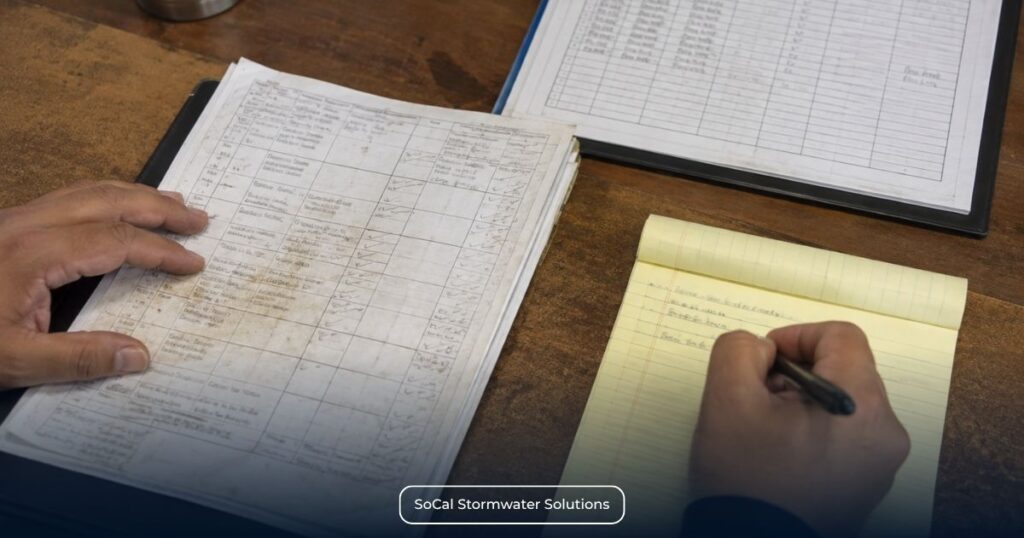
The following examples illustrate response methodology only; they do not reproduce the official Annual Report questions.
Example: Required visual observation not completed
The required observation was not completed during the identified period, and no completed observation record is available. Facility records document the personnel and operational circumstances associated with the missed activity.
Example: Required sampling not performed
The facility did not collect the identified sample during the reporting period. Weather and discharge records maintained by the facility document the conditions relevant to the missed sampling activity.
Example: Incomplete monitoring activity
The monitoring activity began as scheduled, but the complete required documentation was not produced. Available field records identify the completed observations and the information that remains unavailable.
These examples do not establish whether a permit violation occurred or predict any regulatory outcome. They demonstrate how to describe the reporting-year facts without minimizing deficiencies or adding unsupported interpretations.
Not every Annual Report field uses a simple Yes/No response. Current State Water Resources Control Board guidance also includes date fields, numerical entries, conditional questions, region-specific requirements, and specified attachments where applicable. In each case, complete the field using the corresponding facility records.
Final SMARTS Annual Report Certification Protocols

Completing the Annual Report fields does not submit the Annual Report. Submission occurs only after an authorized Legally Responsible Person (LRP) or Duly Authorized Representative (DAR) reviews the prepared information and completes the required SMARTS certification process.
Signatory Role Segregation
A properly linked Data Entry Person (DEP) may prepare the Annual Report and route it for certification but cannot certify or submit the report while acting in that role. Final certification and submission must be completed by an eligible Legally Responsible Person (LRP) or a properly authorized Duly Authorized Representative (DAR), who may review information prepared by others before submitting the Annual Report on behalf of the facility.
Final Electronic Certification Workflow
The April 2026 SMARTS Annual Report guidance provides two verified routes for reaching the certification controls.
When a DEP has routed the report to the signatory, the report status changes to “Not Submitted – certification required.” The LRP or DAR can then access “Documents Ready for Certification,” select the applicable Report ID, and complete the certification process.
If the report is not listed in that menu, the authorized signatory can open the applicable Annual Report directly and use the Certify tab. The current workflow then requires the LRP or DAR to:
- Open the report through Documents Ready for Certification or the applicable report’s Certify tab.
- Review the prepared Annual Report for accuracy.
- Read and accept the certification statement.
- Answer the required security questions.
- Enter the SMARTS user account password.
- Select Certify Selected or Submit/Certify, depending on the route used.
- Confirm that SMARTS displays the submission confirmation page indicating that the Annual Report has been successfully submitted.
The current guide refers to the SMARTS user account password rather than a separately named electronic-signature password. An unavailable certification checkbox in the Documents Ready for Certification area may indicate that the LRP or DAR does not have a signed Electronic Authorization Form on file.
Certification Boundaries
Electronic certification confirms that the authorized signatory is submitting the Annual Report and making the certification presented within SMARTS on behalf of the facility. It does not independently verify environmental performance, establish agency acceptance of every reported fact, or replace later State or Regional Water Board review.
The certifying LRP or DAR remains responsible for reviewing the information being submitted rather than relying solely on the person who prepared the report.
Common Database Pitfalls and Audit Risks
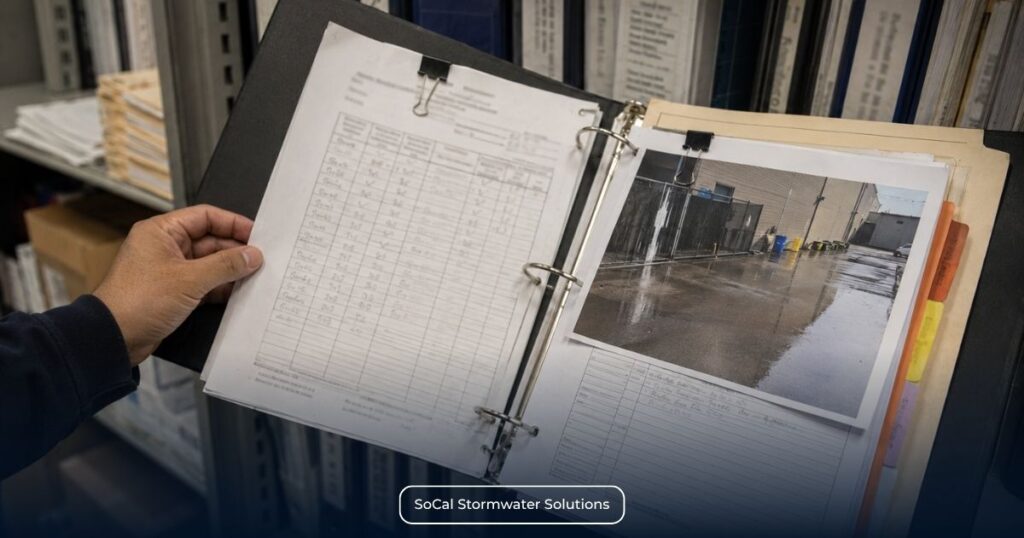
Even when every required Annual Report field has been completed, inconsistencies between SMARTS submissions and supporting facility records can complicate review of the reporting-year record. Differences between dates, monitoring entries, or supporting documentation should be reconciled using the underlying facility records before final certification.
Administrative Record Consistency
Many reporting inconsistencies arise from differences between documents created at different times during the reporting year rather than from a single data-entry error. Reviewing those records together before final reporting helps identify discrepancies while the supporting information is still readily available.
Common administrative issues include:
- differences between the date all analytical results became available, the SMARTS certification or submission date, and the applicable permit reporting deadline;
- Annual Report responses that do not align with monitoring records or documented field activities;
- differences between the Annual Comprehensive Facility Compliance Evaluation completion date and supporting evaluation records;
- incomplete inspection, monitoring, or laboratory documentation supporting reported activities;
- outdated facility contacts or user associations that delay preparation of the reporting record;
- required explanatory information that is absent or inconsistent with the facility’s retained documentation.
Differences between SMARTS entries and supporting facility records may require additional review and do not, by themselves, establish noncompliance. However, a verified failure to meet a permit-required reporting deadline, complete a required activity, or retain required records may constitute noncompliance with the applicable Industrial General Permit provision.
Timeline Consistency
The Industrial General Permit requires all sampling and analytical results for individual or Qualified Combined Samples to be submitted through SMARTS within 30 days of obtaining all analytical results for the sampling event.
Chronological consistency is equally important during Annual Report preparation. Laboratory reporting, monitoring documentation, inspection records, and Annual Report responses should present the same sequence of reporting-year activities. When supporting records show conflicting dates or events, reviewers may require additional factual explanation to understand the administrative record. Clear alignment among those documents reduces reporting inconsistencies without changing the underlying compliance information.
Incomplete or missing Ad Hoc Monitoring Report submissions can create inconsistencies between SMARTS reporting records and the facility’s supporting compliance records.
Supporting Record Consistency
The Annual Report should accurately reflect the facility’s supporting compliance records rather than replace them. Before finalizing the Annual Report, compare its responses against:
- monitoring records and laboratory analytical reports;
- Annual Comprehensive Facility Compliance Evaluation documentation;
- inspection records;
- applicable training records;
- other supporting compliance documentation maintained during the reporting year.
Matching dates, terminology, and documented activities make each Annual Report response traceable to its supporting record. Resolve any identified differences through the underlying documentation rather than assumptions.
Facilities seeking a more systematic approach to coordinating monitoring activities, organizing documentation, and preparing reporting records can also review the available industrial stormwater permit compliance and monitoring solutions offered by SoCal Stormwater Solutions as an operational resource for supporting reporting preparation under the applicable permit requirements.